I’m quite chuffed with this! I’ve been solving this in different ways for a heck of a lot of years, in situations where asset cache busting isn’t part of whatever site building situation I’m in provides so I need to do it myself. But it always requires a little more technology than I would like, like setting up Gulp or the like.
This is all it is:
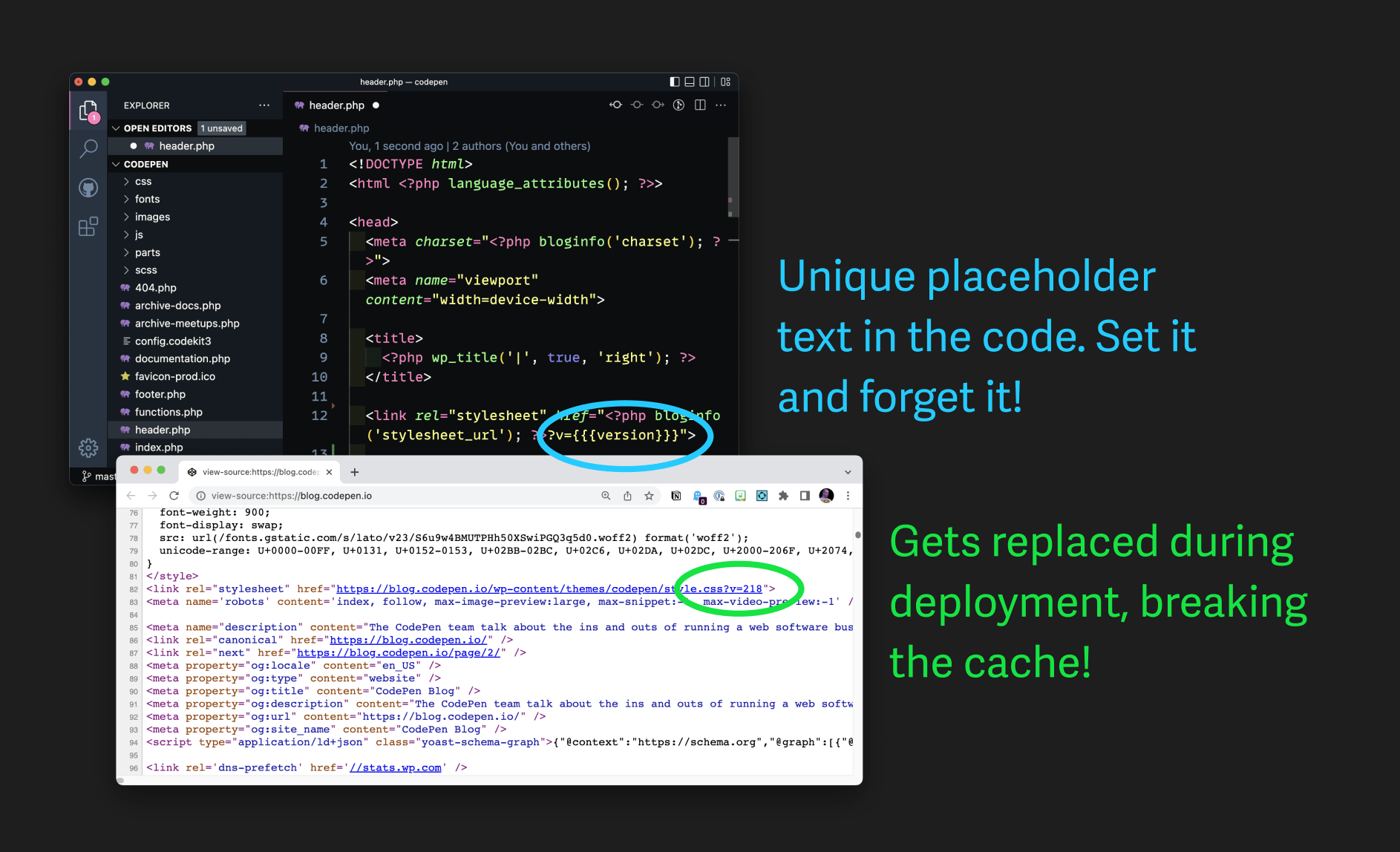
The Setup
You’ve got a stylesheet on a website. So in the HTML:
<link rel="stylesheet" href="style.css">Code language: HTML, XML (xml)I’ve got my server/CDN set up to cache the living bejesus out of that file. That’s a no-brainer day-one kind of performance requirement. So if I check the response headers on a file like that, I’ll see something like:
cache-control: public, max-age=31536000Code language: PHP (php)So when I need to change that file, I need to break that cache, otherwise, users’ browsers that have already been to the site will hang onto their old version of file. That’s worse than a failed deployment, it’s almost like a half/broken deployment because it’s likely HTML has also changed that no longer correctly corresponds to the updated CSS. That’s bad.
A classic easy way to break cache is to add a query parameter:
<link rel="stylesheet" href="style.css<strong>?version=2</strong>">Code language: HTML, XML (xml)Query parameters are fine¹.
The code we’re looking at? That’s HTML. So the job is:
Automatically update the version number in the HTML when a new deployment is made that changes the contents of that file.
One possible system: update the query parameters by hand. It’s not that hard of a task, but it’s easy to forget, and the consequences of forgetting, as I mentioned above, suck pretty hard.
Aren’t there lots of ways to do this?
There are (checks notes) a million ways to do this. It’s such a known need that it’s built into all sorts of software. The Rails asset pipeline does this. Bundlers like Rollup, Parcel, Vite, etc will happily do this as well. The assumption in all of these is that it’s processing your HTML and producing a post-processed version of the HTML that is deployed.
Most commonly, I reach for Gulp.<strong> </strong>gulp.watch(LOCATION_OF_SCRIPTS, doScripts); <strong> </strong>function doScripts(done) { return gulp.series( preprocessJs, concatJs, minifyJs, deleteArtifactJs, reload, done => { cacheBust("./parts/footer-scripts.php", "./parts/"); done(); } )(done); } <strong> </strong>function cacheBust(src, dest) { var cbString = new Date().getTime(); return gulp .src(src) .pipe( replace(/cache_bust=\d+/g, function() { return "cache_bust=" + cbString; }) ) .pipe(gulp.dest(dest)); }Code language: PHP (php)To me, assuming that HTML (via PHP or not) will be processed is a fairly big assumption. I have worked on lots of websites that don’t have anything processing the HTML. Or even if there is some kind of HTML processor in place, it doesn’t have an auto-incrementing cache buster automatically in place. Like a basic SSG or whatnot.
So when do we need this?
But here’s my #1 use case: WordPress websites.
A WordPress website produces HTML from PHP templates. There is no processing there other than PHP itself². I tend not to have a build process for WordPress sites³.
Using Buddy for the Find & Replace
So here’s my actual line of code in my header.php file on a WordPress site.
<link rel="stylesheet" href="<?php bloginfo('stylesheet_url'); ?>?v=<strong>{{{version}}}</strong>">Code language: HTML, XML (xml)Note the {{{version}}} in there. That’s just an invented syntax. Just something fairly unique that I’ll have Buddy replace.
Now here’s an example Buddy pipeline. A lot of times, I’ll have one action: just deploy the dang site. But here we’ll add a Find & Replace setup first.
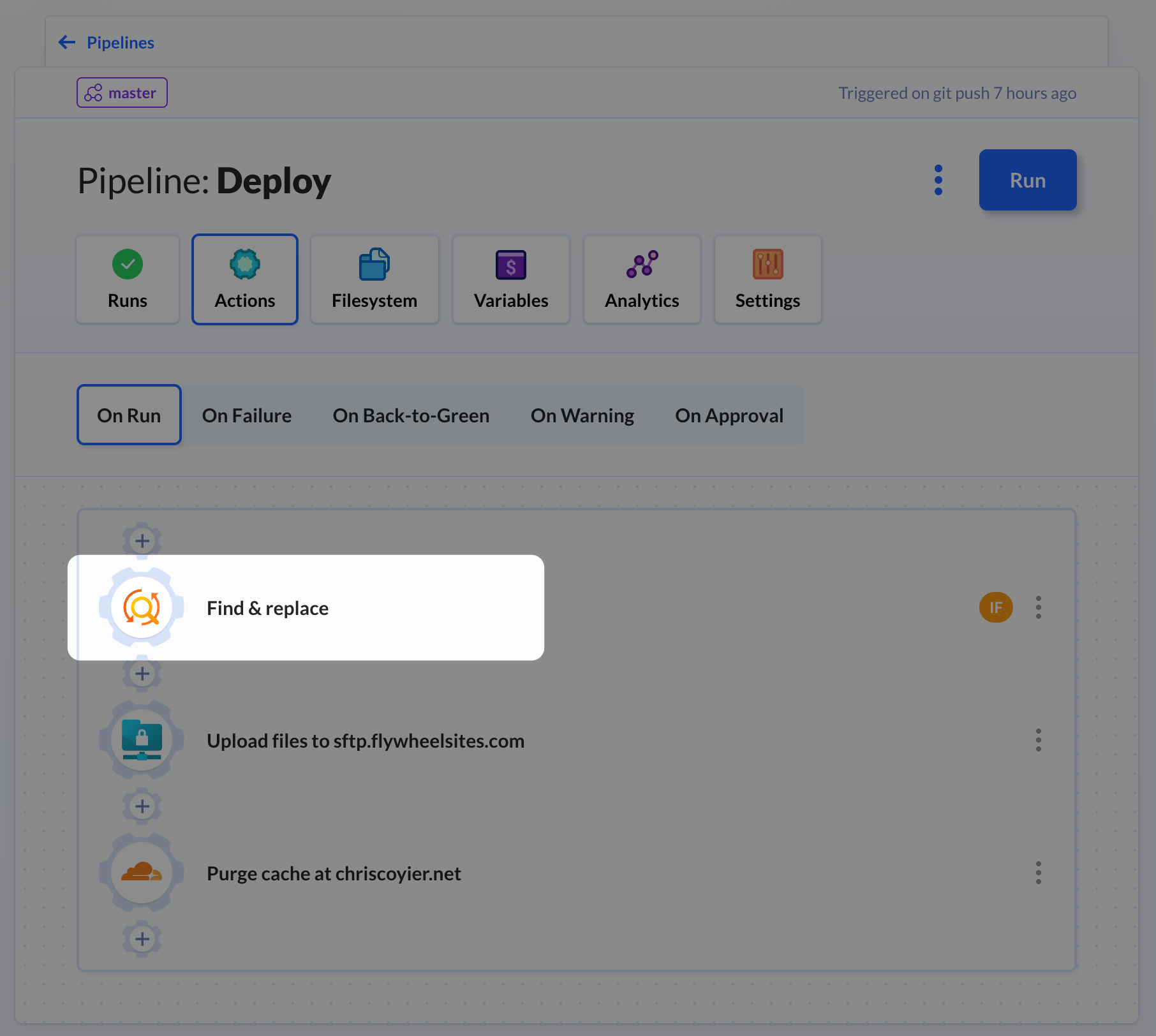
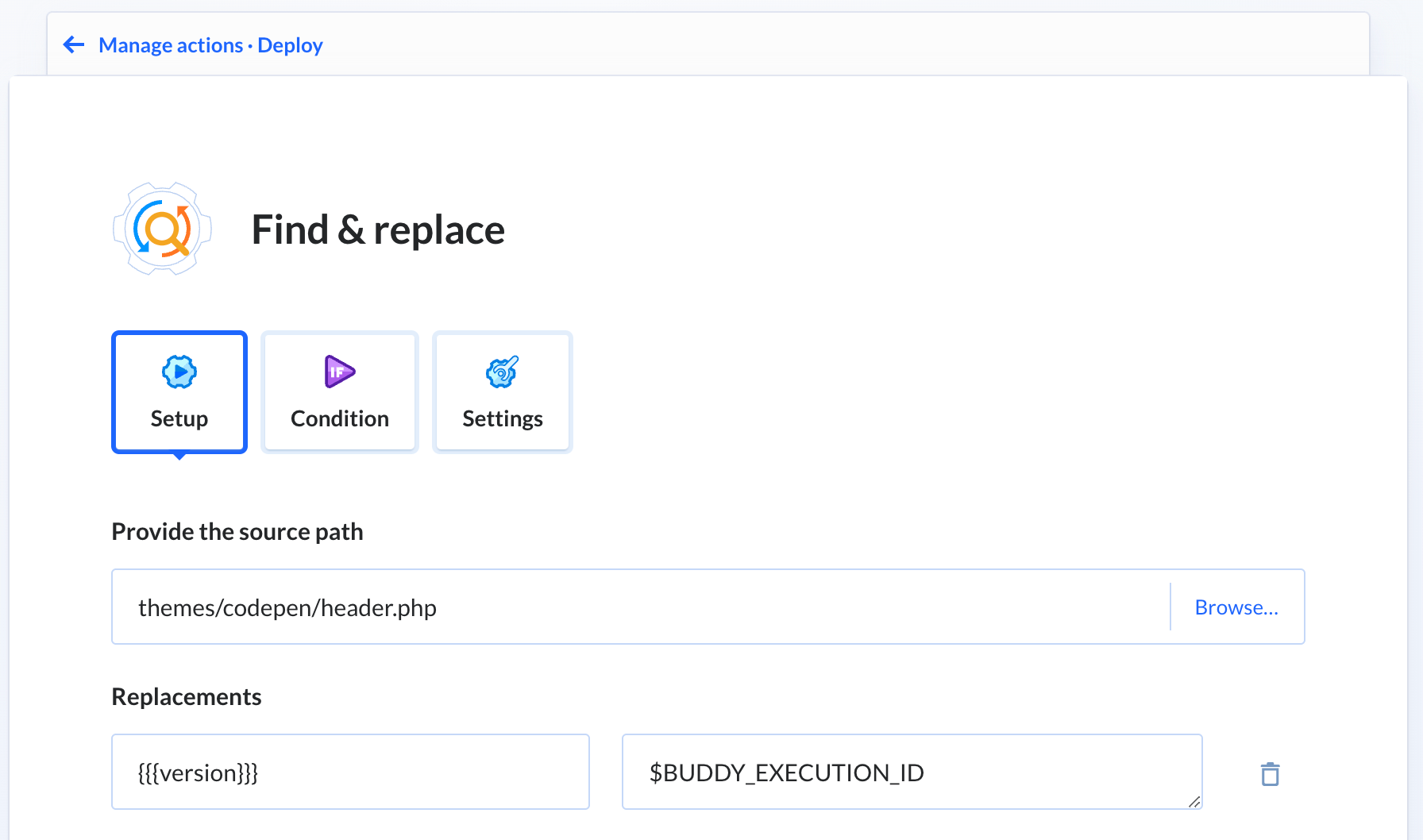
Within the settings for Find & Replace, we get to tell it what file to run it on, what to look for, and what to replace it with. Miraculously, there are magical variables you have access to (like your ENV vars) including one called $BUDDY_EXECUTION_ID which is a unique ID per deployment, so it’ll work great for cache busting.
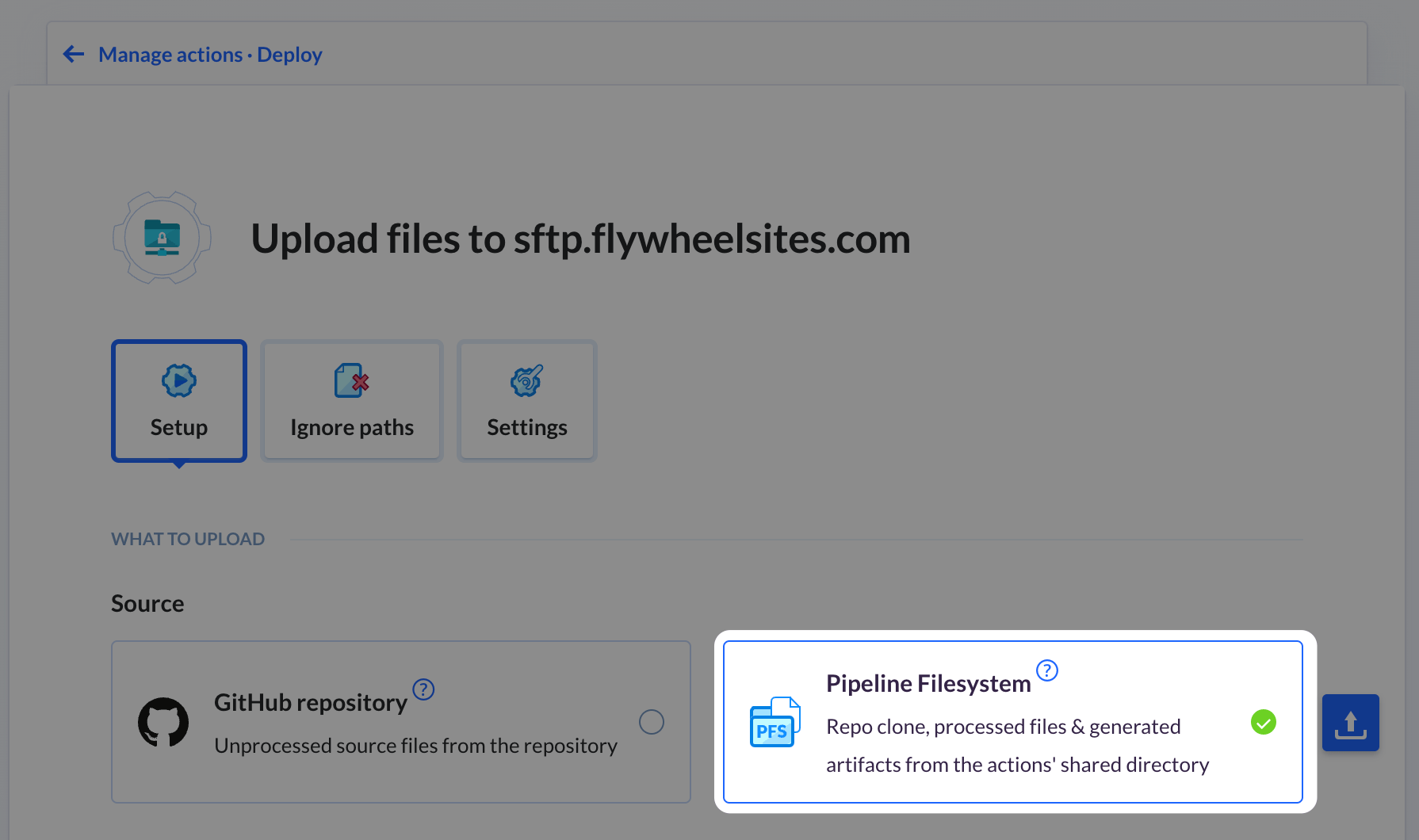
In order for this to work, you need to have the Upload files action set to use Pipeline Filesystem and not GitHub. It’ll still pull from GitHub, but apparently, this gives it permission to alter the files before uploading or something. This is crucial and tripped me up for quite a while setting this up. If you don’t do it, it seems like it is all working, but it just doesn’t work, the file uploads unchanged.
You could run the Find & Replace on every deployment, breaking the cache every time, but I’ve added a conditional here to only do it when the actual stylesheet has changed:
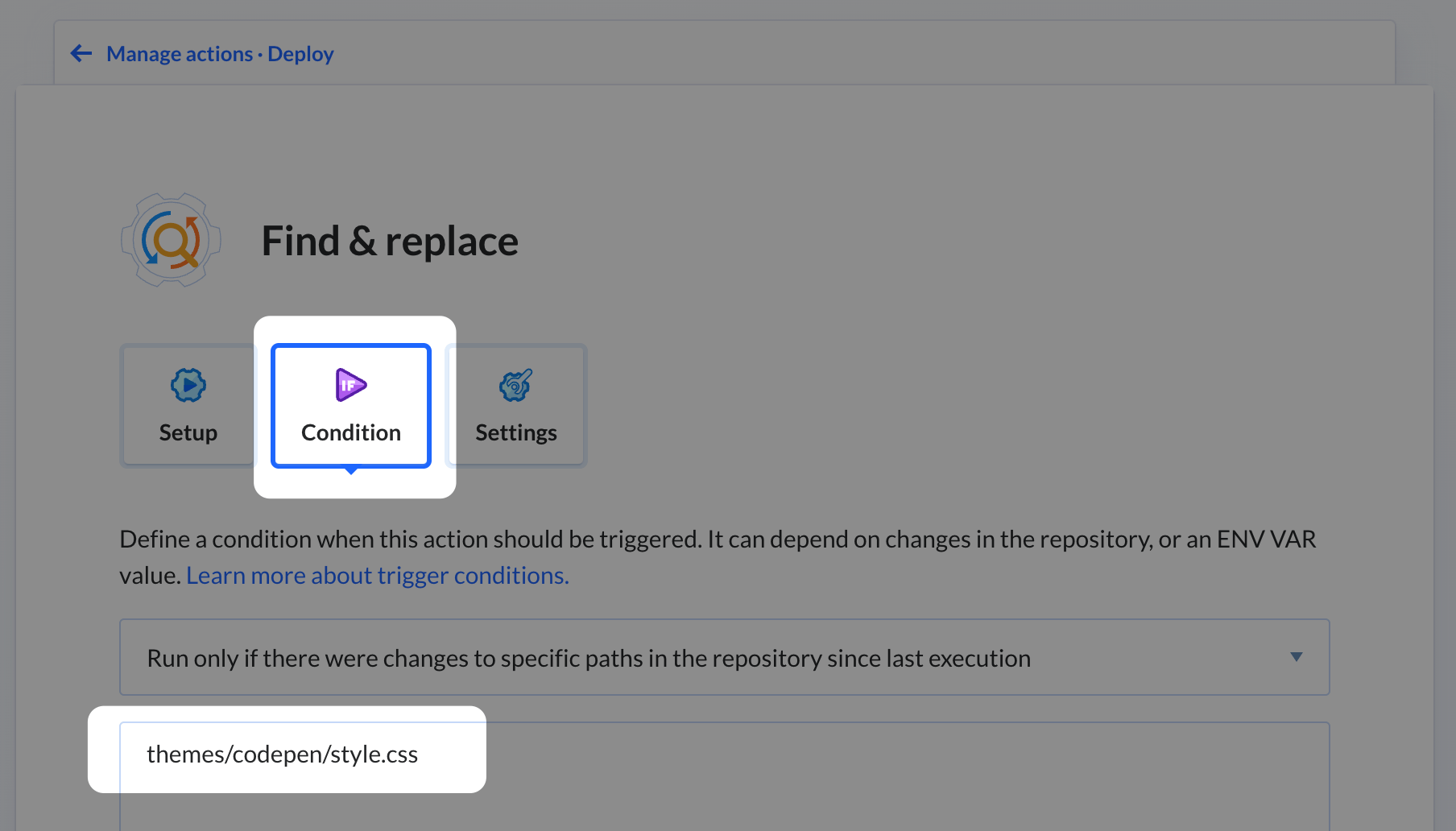
Seeing it Run
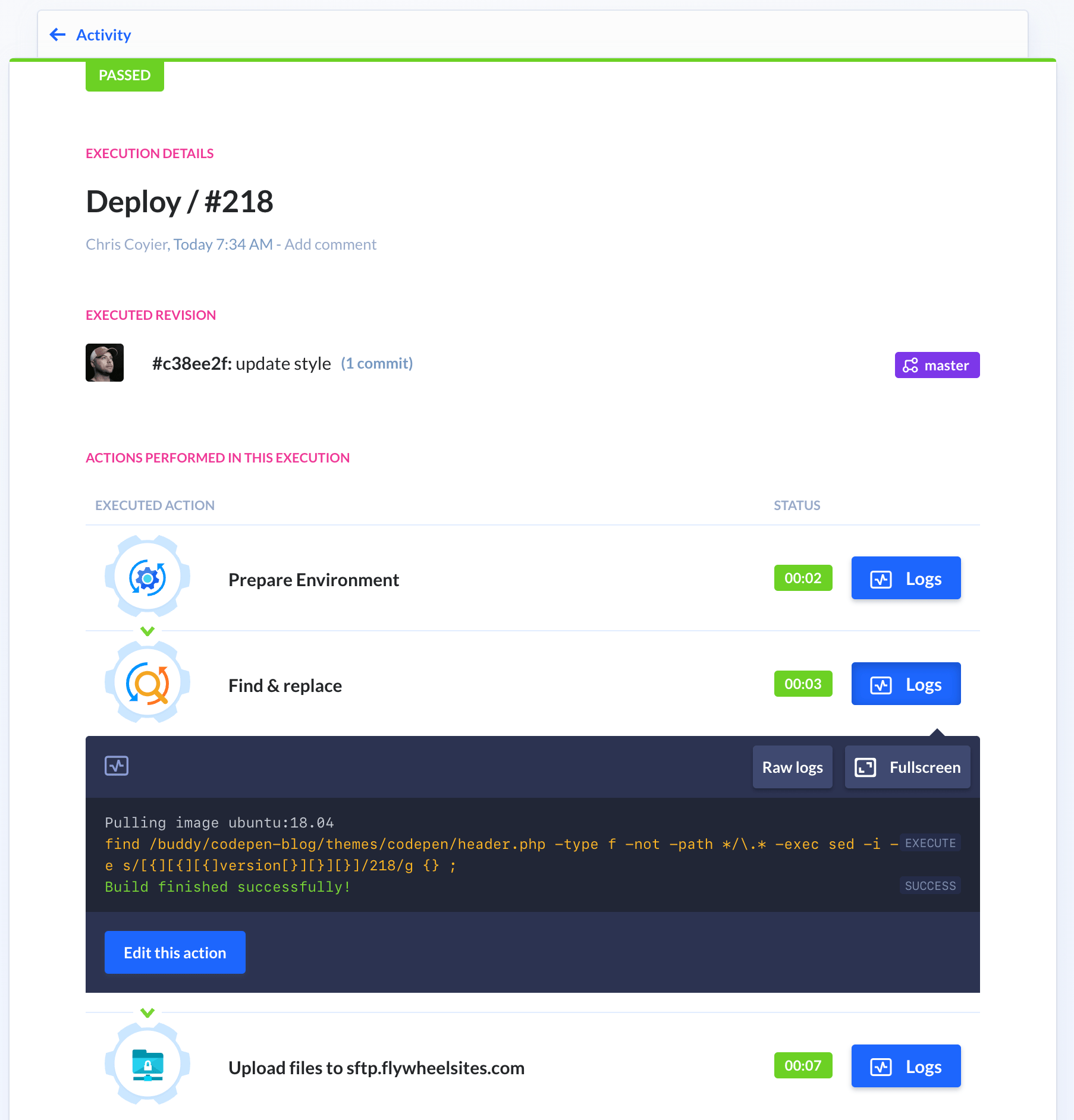
You can see the Find & Replace execute and succeed in the pipeline logs.
That’ll do it. I can use this on like 3-4 WordPress websites right now, including this one, so I’m happy to have found this simple solution.
Related
ncG1vNJzZmibmKe2tK%2FOsqCeql6jsrV7kWlpa2dgbHxzfY6emKyxXZbAtLHTZpqam5iaeqPB0q2gp59drLa1tIybrJ2cqWQ%3D